Playing Nintendo Switch games on your Android phone is no longer a pipe dream — the Egg NS Emulator makes it genuinely accessible, and it holds up surprisingly well in practice. From sprawling open-world titles and fighting games to beloved indie picks, it supports hundreds of Switch games, AAA releases included, all running directly on your Android device.
Never touched an emulator before? No problem. This guide covers everything from start to finish — grabbing your ROM files to booting up your first game. I’ll be demonstrating on an Asus ROG 5 (Snapdragon 888), though the process translates smoothly to most capable modern Android devices.
Let’s dive in.
Table of Contents
Steps to Set Up and Use the Egg NS Emulator on Android
Follow these steps to get the Egg NS Emulator running on your Android device and start playing Nintendo Switch games.
1. Download Your Nintendo Switch Game ROMs (NSP/XCI)
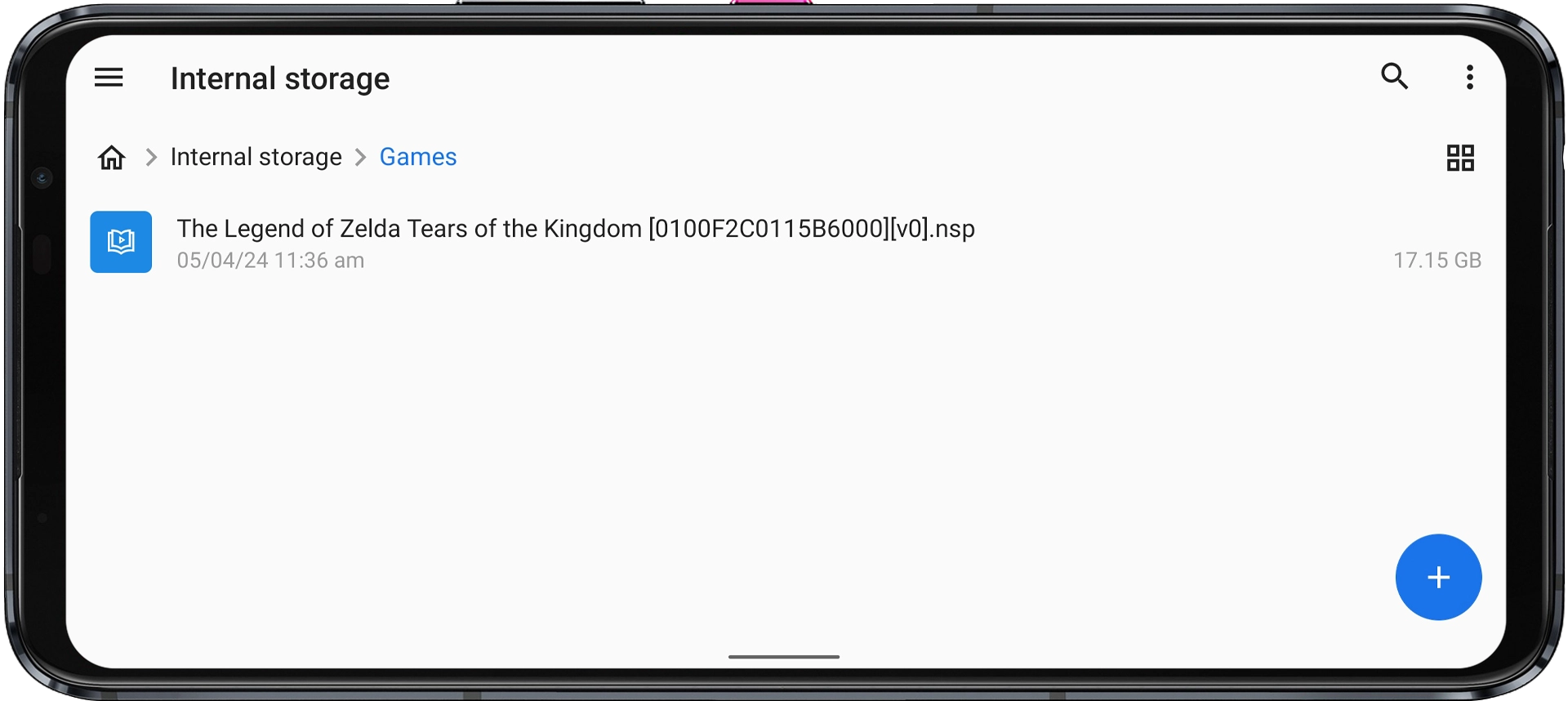
Egg NS supports Nintendo Switch games in two formats: NSP and XCI. Head to a trusted ROM source and download the game you want to play. For this guide, ‘The Legend of Zelda: Tears of the Kingdom [0100F2C0115B6000][v0].nsp‘ as the example title.
2. Create a Dedicated Games Folder
Keeping your ROM files organized before launching the emulator will save you time later. Here’s how:
Step 1: Open your File Manager — the stock one works fine.
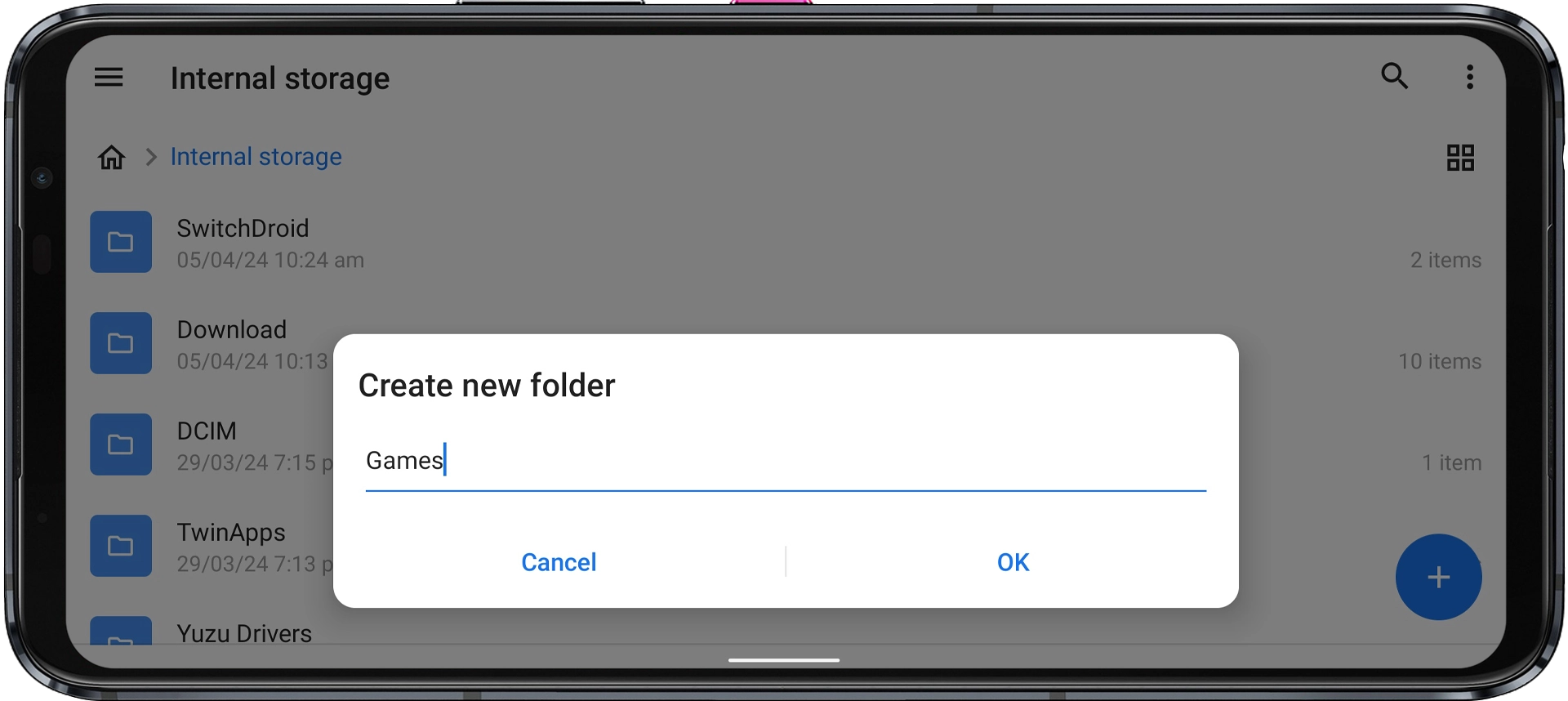
Step 2: In your Internal Storage, create a new folder and name it “Games” (or anything you’ll easily recognize).
Step 3: Move your downloaded NSP or XCI file into that folder.
3. Install and Configure Egg NS
Step 1: Download and install the Egg NS Emulator app using the button below.
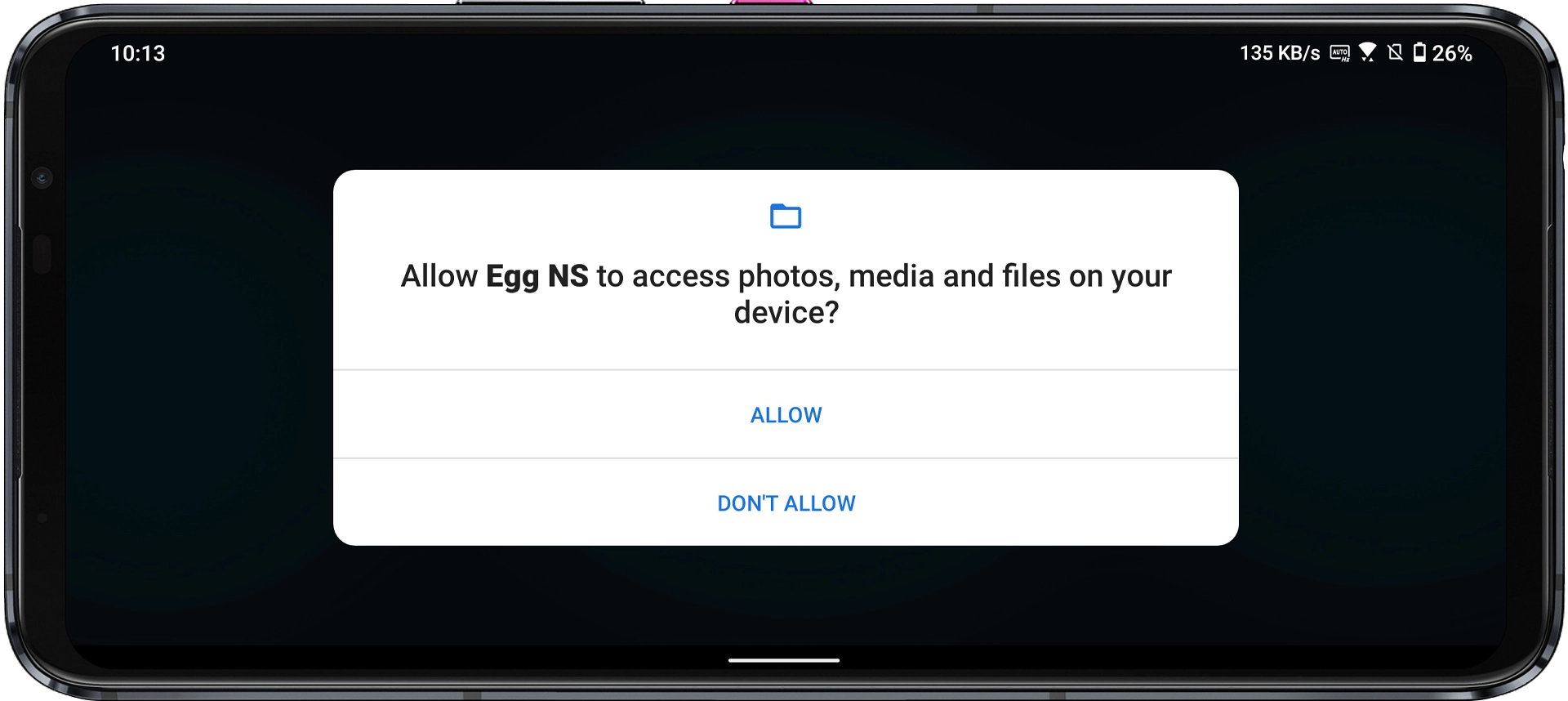
Step 2: Launch the app. Grant any permissions it requests.
Step 3: On the login screen, tap Register to create a new account, then log in.
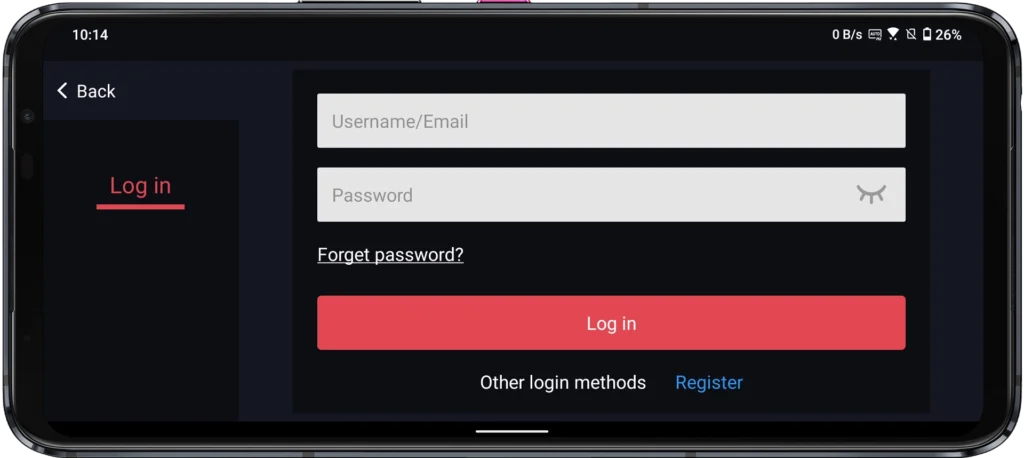
Note: While registering, you might face a “Code Failed to Send” error. To fix this, check the guide provided below. After resolving the issue, return to this guide.
Step 4: You’ll be prompted to download the EggNS Component — tap Download Now. This automatically installs the SwitchDroid folder, which is required for emulation to work.
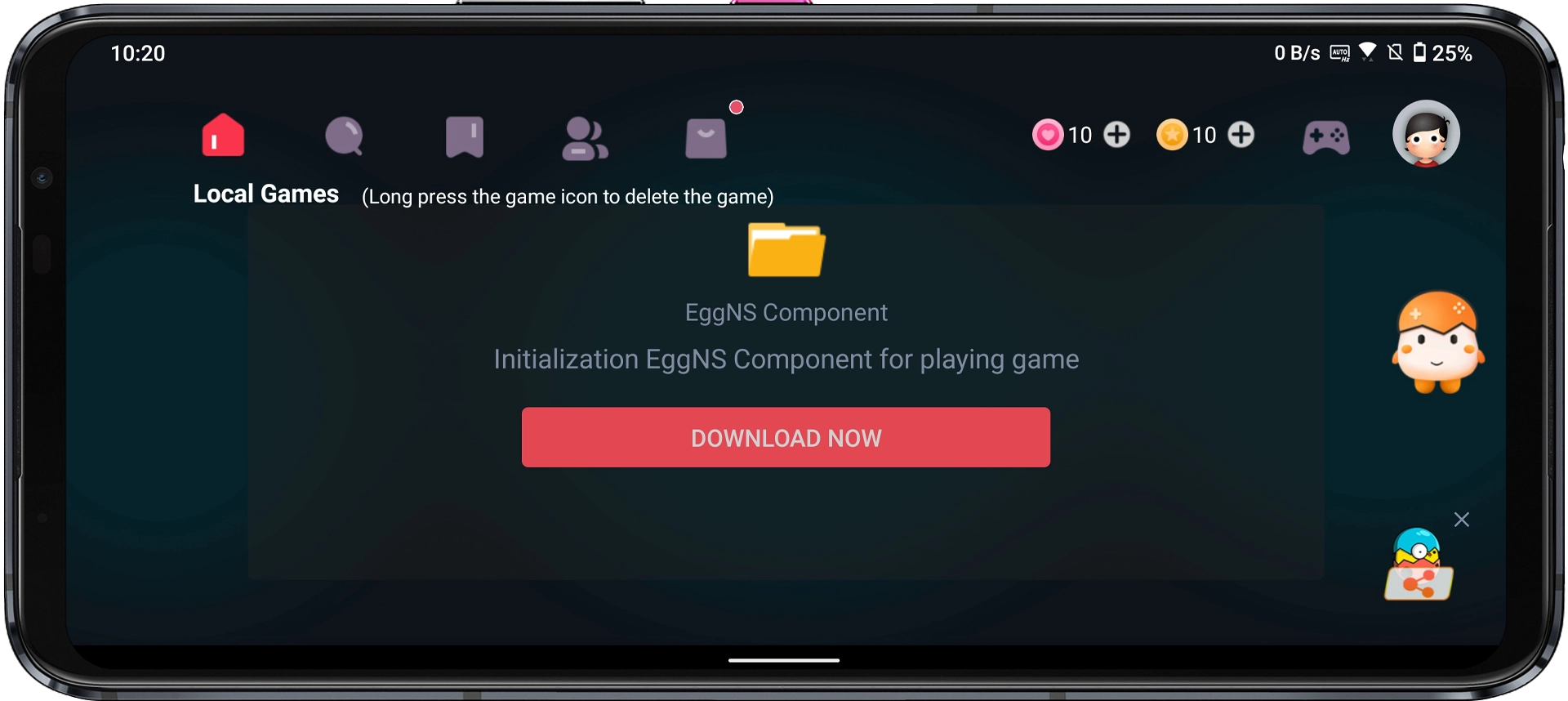
Step 5: Once the download finishes, tap “No Game ROM? Add now >>”.
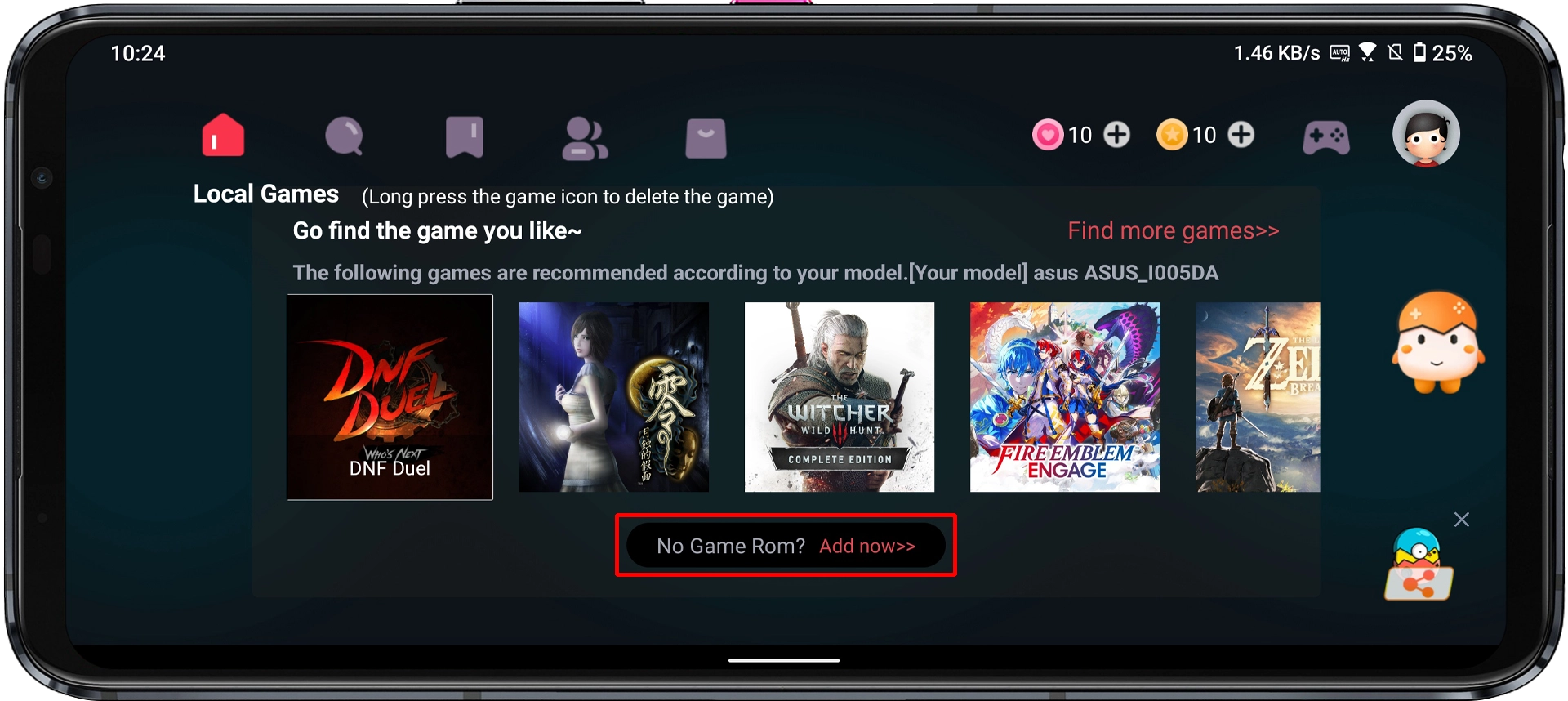
Step 6: Tap the Change button next to the XCI/NSP storage location.
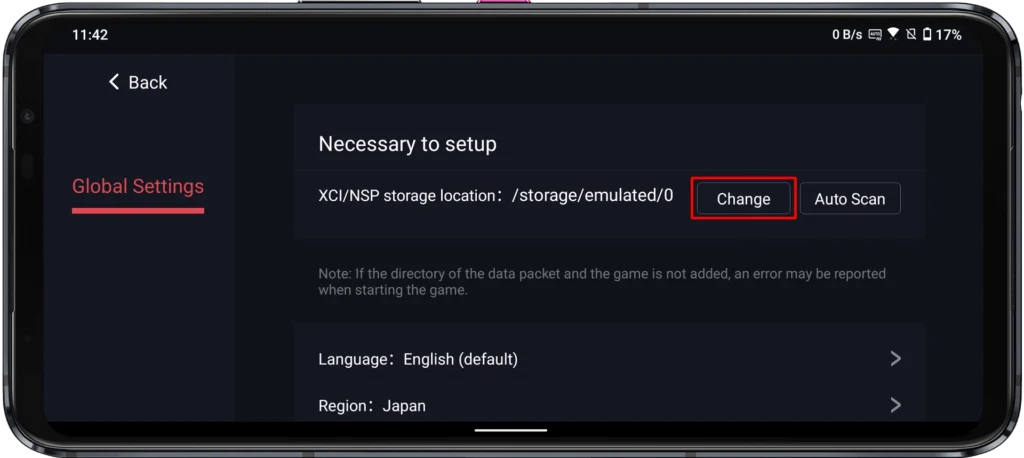
Step 7: Navigate to the Games folder you created earlier and tap Sure.
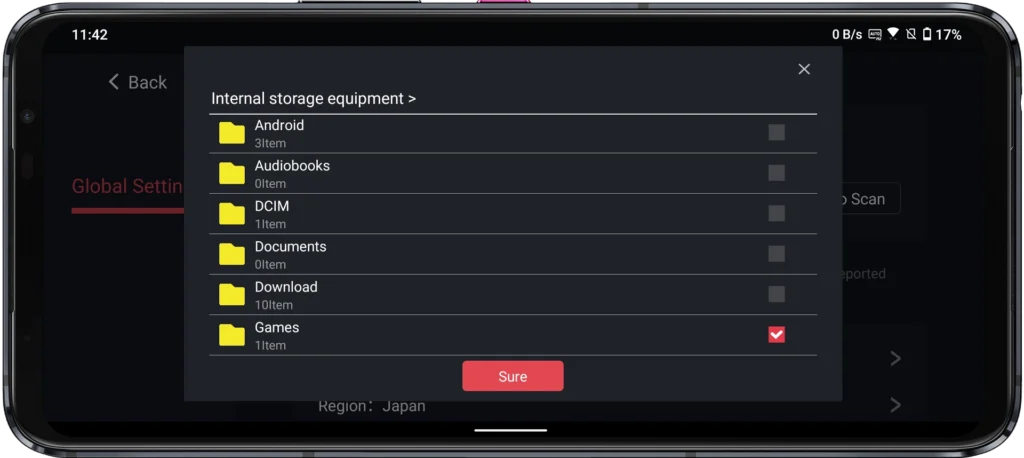
Step 8: Tap the back arrow in the top-left corner to return to the main screen.
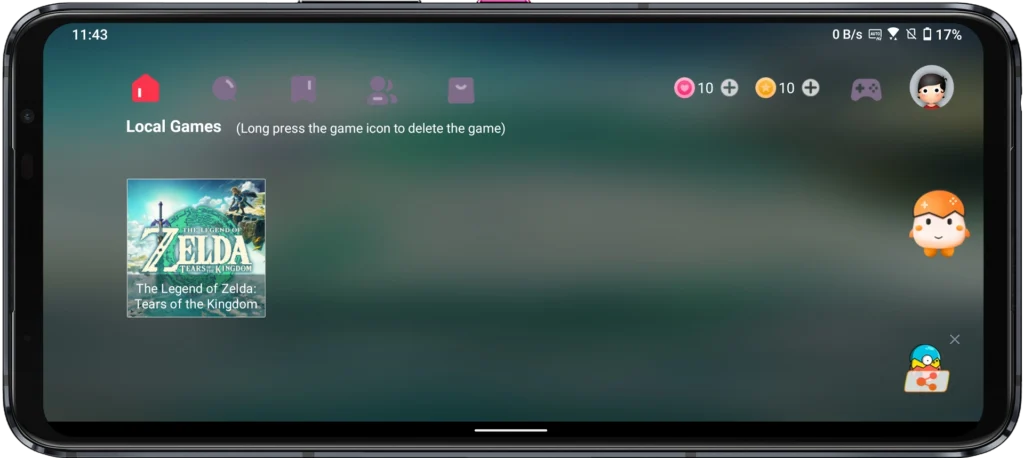
Step 9: Your ROM library should now appear. If you followed the steps above, your game — in my case, Tears of the Kingdom — will show up here automatically.
3. Launch and Play
Step 1: Tap the game you want to launch.
Step 2: If a popup appears saying “The driver package is missing. Would you like to download it now?” — tap Download and let it complete. These drivers are required to run the game.
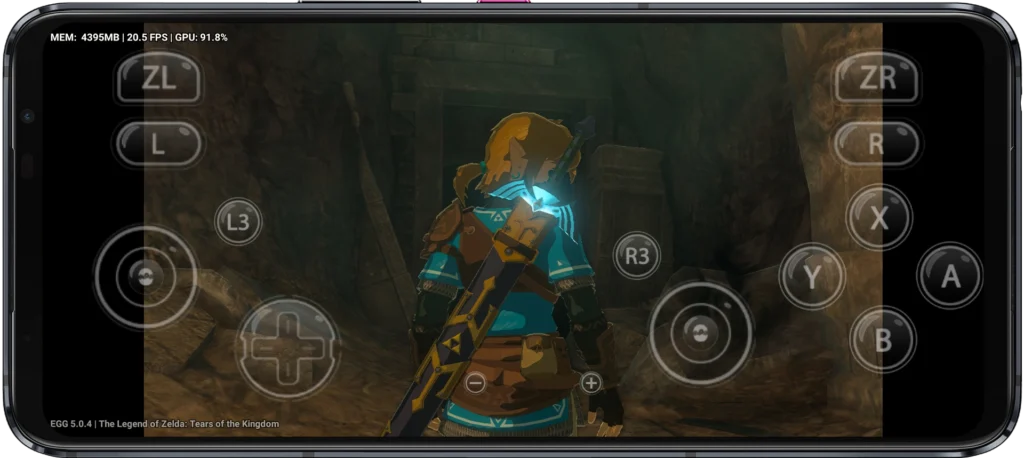
Step 3: Choose your preferred control style: Touch Control or Controller Play. I’m going with Touch Control to use the device’s built-in screen.
Frequently Asked Questions (FAQ)
Is the Egg NS Emulator free to use?
The app is free to download and install, but full access requires a VIP membership. New accounts come with a 3-day free trial. After that, you can either purchase a subscription or use the temp mail method mentioned earlier to register a fresh account.
Is it legal to use Egg NS and play ROM files?
Emulators themselves occupy a legal grey area — they’re generally not illegal on their own. However, downloading ROM files for games you don’t personally own is considered copyright infringement in most countries. Always make sure you own a legitimate copy of any game before downloading its ROM.
What Android devices are compatible with Egg NS?
Egg NS runs best on devices with a Snapdragon 845 processor or newer. For a smooth, lag-free experience, a Snapdragon 888 or equivalent is recommended. Lower-end chipsets may struggle with demanding AAA titles, though lighter indie games should run reasonably well.
Why isn’t my game showing up in the library?
Double-check that your ROM file is in NSP or XCI format and that it’s placed inside the Games folder you linked during setup. If you added the file after linking the folder, try refreshing the library or relaunching the app. If the game still doesn’t appear, it may simply not be supported by the emulator yet — not every Switch title is compatible at this stage.
Can I use a Bluetooth controller with Egg NS?
Yes. Egg NS supports external Bluetooth controllers, including the official Nintendo Switch Pro Controller, Xbox controllers, and most third-party Android-compatible gamepads. Simply pair your controller via your device’s Bluetooth settings before launching a game.
Does Egg NS support multiplayer?
Local multiplayer via a connected controller is supported. Online multiplayer functionality, however, is limited and not officially supported for most titles — your experience may vary depending on the game.
Final Words
The Egg NS Emulator is one of the most capable Nintendo Switch emulators available on Android right now, and for most modern devices, it genuinely delivers. Getting it set up takes maybe ten minutes once you know what you’re doing — and with this guide, you do.
That said, performance will always depend on your hardware. If you’re on a flagship device with a Snapdragon 888 or better, you can expect a polished experience across most titles. Mid-range devices will handle lighter games well but may hit walls with more demanding open-world or graphically intensive releases.
As always, use this responsibly. Support the developers behind the games you love by purchasing titles whenever you can — the Switch library is genuinely worth it.
If you run into any issues or have questions not covered here, drop them in the comments below. Good luck, and enjoy the games.