Last updated: June 2026. Storage recommendations sourced from Engadget, Android Central, Held Games, and Gaminglikeaboss. Prices are approximate and subject to change.
MicroSD in 2026: Two Very Different Markets
Shopping for a microSD card in 2026 is more confusing than it used to be. The market has split into two distinct categories: traditional UHS-I cards (the type Android handhelds have always used) and the new microSD Express cards (required by the Nintendo Switch 2). Knowing which type you need — and which you absolutely don’t — will save you significant money.
MicroSD Express: What It Is and Who Actually Needs It
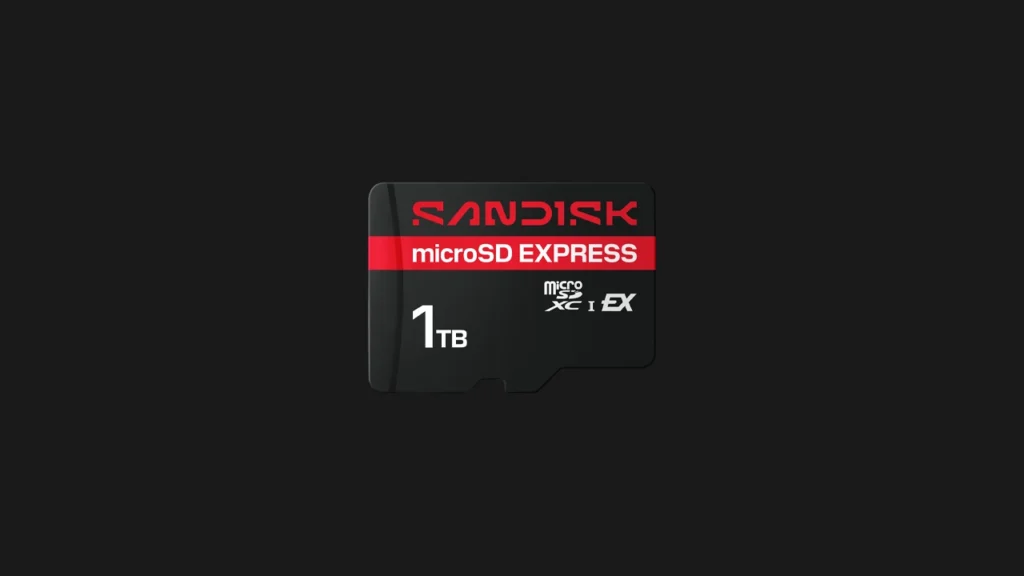
MicroSD Express is a new standard that uses PCIe and NVMe technology to achieve speeds that dwarf traditional cards. Engadget’s February 2026 testing found sequential read speeds approaching 900MB/s on the SanDisk microSD Express — comparable to older SSDs.
The Nintendo Switch 2 requires microSD Express cards. Its internal storage demands and game sizes make the faster interface necessary. However, as Engadget explicitly states: “Unless you plan to own a Nintendo Switch 2 in the near future, you do not need a high-speed microSD Express card just yet. Nintendo’s gaming handheld is the only popular device that natively supports this standard right now.”
For Android emulation handhelds — Retroid Pocket 6, Retroid Pocket Nova, AYN Odin 3, Anbernic devices — microSD Express is irrelevant. These devices use standard microSD slots that cannot take advantage of Express speeds. Buy a traditional UHS-I card and spend the saved money on storage capacity instead.
What Actually Matters for Android Emulation Handhelds
For Switch emulation specifically, the important microSD specs are:
Application Performance Class (A1 or A2): The most important rating for emulation. A1 guarantees minimum random read speeds of 1,500 IOPS and write speeds of 500 IOPS. A2 doubles this to 4,000 IOPS read and 2,000 IOPS write. Switch game backups require fast random reads to load assets smoothly — A2 is noticeably better for large open-world games like Tears of the Kingdom.
Video Speed Class V30 minimum: Ensures 30MB/s sustained write speed. Critical for shader cache writes during first-run emulation of demanding Switch titles. Slower cards create stuttering during the shader compilation phase.
Brand reliability: Gaminglikeaboss warns bluntly that “it is incredibly tempting to simply buy the cheapest, highest-capacity card you can find on a discount marketplace, but doing so is a recipe for disaster.” Fake and counterfeit microSD cards are rampant on Amazon and AliExpress. Unbranded cards from budget handheld bundles should be replaced immediately. Stick to Samsung, SanDisk, or Lexar exclusively.
Best MicroSD Cards for Android Handheld Emulation in 2026
1. Samsung Pro Plus — Best Overall for Switch Emulation
The Samsung Pro Plus earns its top spot for Android emulation handhelds through consistent A2 performance, reliable random read speeds, and Samsung’s proven long-term reliability. Sequential reads up to 160MB/s and writes up to 120MB/s — well above the V30 minimum. Available in 128GB, 256GB, 512GB, and 1TB. Held Games specifically recommends it for Android handhelds like the Retroid Pocket 6 and AYN Thor “where you’re managing a broad, multi-generation library.”
Best configuration for Switch emulation: 512GB covers a 25-30 game library with shader caches. 1TB for collectors.
2. SanDisk Extreme — Best Capacity Pick
The SanDisk Extreme Pro delivers sequential reads up to 190MB/s and writes up to 130MB/s with A2 rating. The 1TB model is the go-to for players who want their entire Switch library on a single card without managing transfers. Engadget confirms SanDisk as one of the consistently reliable brands alongside Samsung and Lexar.
3. Lexar Professional Silver Plus — Best Value
Engadget’s February 2026 review calls it “the best value of the ones we’ve tested” among UHS-I cards. U3, V30, A2, Class 10 rated. Available in 128GB, 256GB, 512GB, and 1TB. Sequential read speeds are strong. For budget-conscious buyers who want A2 performance without the Samsung Pro Plus premium, Lexar is the alternative.
4. Samsung Evo Select — Budget Entry Point
Read speeds up to 130MB/s. Strong durability specs (shockproof, waterproof, temperature-resistant). The Evo Select is an appropriate entry point for players starting with a modest 10-15 game Switch library. Not A2-rated, but A1 performance is adequate for most Switch titles that aren’t extremely open-world.
How Much Storage Do You Actually Need in 2026?
Switch game backup sizes have grown with newer titles. Average size in 2026: 8-20GB per title, with some reaching 25GB+.
- 10 games: 80-200GB → 256GB card (with room for shader caches)
- 25 games: 200-500GB → 512GB card
- 50+ games: 400GB+ → 1TB card
Always account for shader caches (1-5GB per demanding game) and emulator files. A 512GB card fills faster than expected once you’re managing a substantial collection.
Format Correctly: exFAT Is Non-Negotiable
Android emulation handhelds must use exFAT format, not FAT32 or NTFS. FAT32 has a 4GB file size limit — many Switch game backups and PS2 ISOs exceed this, making them impossible to store on a FAT32-formatted card. Format using your PC (Windows: Disk Management → right-click → Format → exFAT; macOS: Disk Utility → Erase → exFAT) before inserting into your handheld for a clean full-card format.
Spot a Fake: Red Flags to Watch For
The fake microSD card market is enormous. Signs of a counterfeit card: prices dramatically below market rate for the capacity, no-name brands with very high claimed speeds, cards sold by third-party Amazon sellers with limited review history. If you buy a card that reads/writes at full advertised speed in H2testw (Windows) or F3 (macOS/Linux) testing, it’s genuine. If actual capacity or speed don’t match the label, return it immediately.