
Are you trying to register on Egg NS Emulator but keep getting the annoying popup message “Code failed to send” when requesting the verification code?
Because registration is mandatory, this error blocks you from accessing the app and playing your favorite Nintendo Switch games on Android.
Don’t worry! You’re not alone, and there is a simple workaround that lets you use Egg NS Emulator without registration. In this guide, I’ll show you exactly how to fix this issue in just a few minutes.
Let’s get started.
Why Does the “Code Failed to Send” Error Occur?
This error happens because:
- Egg NS Emulator has been inactive since the v5.1.1 update
- Their registration code service is no longer working
- As a result, new users cannot receive verification codes
- Registration fails every time
The Good News
Although registration is broken, the login system still works, and all emulator features continue to function normally.
So if you can log in using an existing account, you can use Egg NS Emulator without any issues.
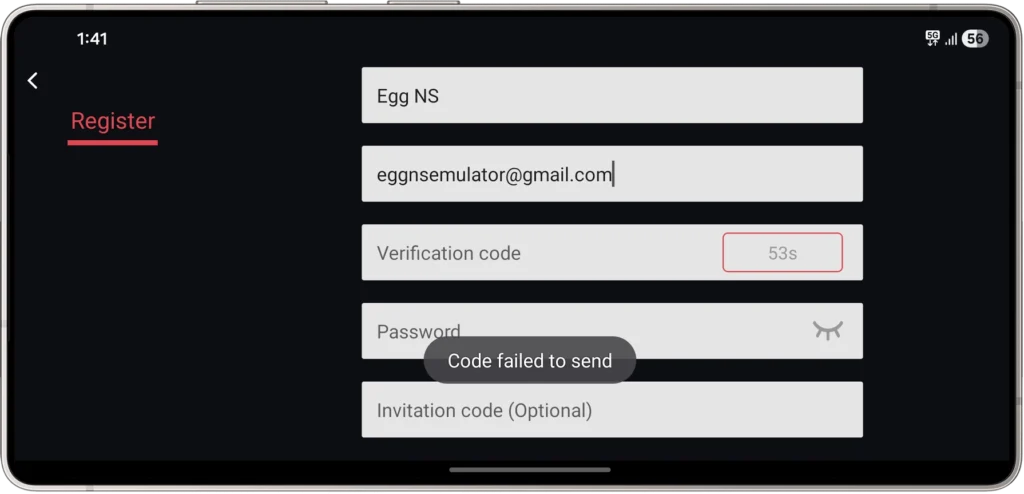
Fix Egg NS Emulator “Code Failed to Send” Error
If you already created an account in the past, simply log in with your old username and password.
But if you are a first-time user, follow the steps below to log in using shared working credentials:
Step 1: Open Egg NS Emulator
Launch the app and go back to the Login page instead of the Registration page.
Step 2: Enter Username
- In the Username / Email field, type:
Step 3: Enter Password
- In the Password field, type:
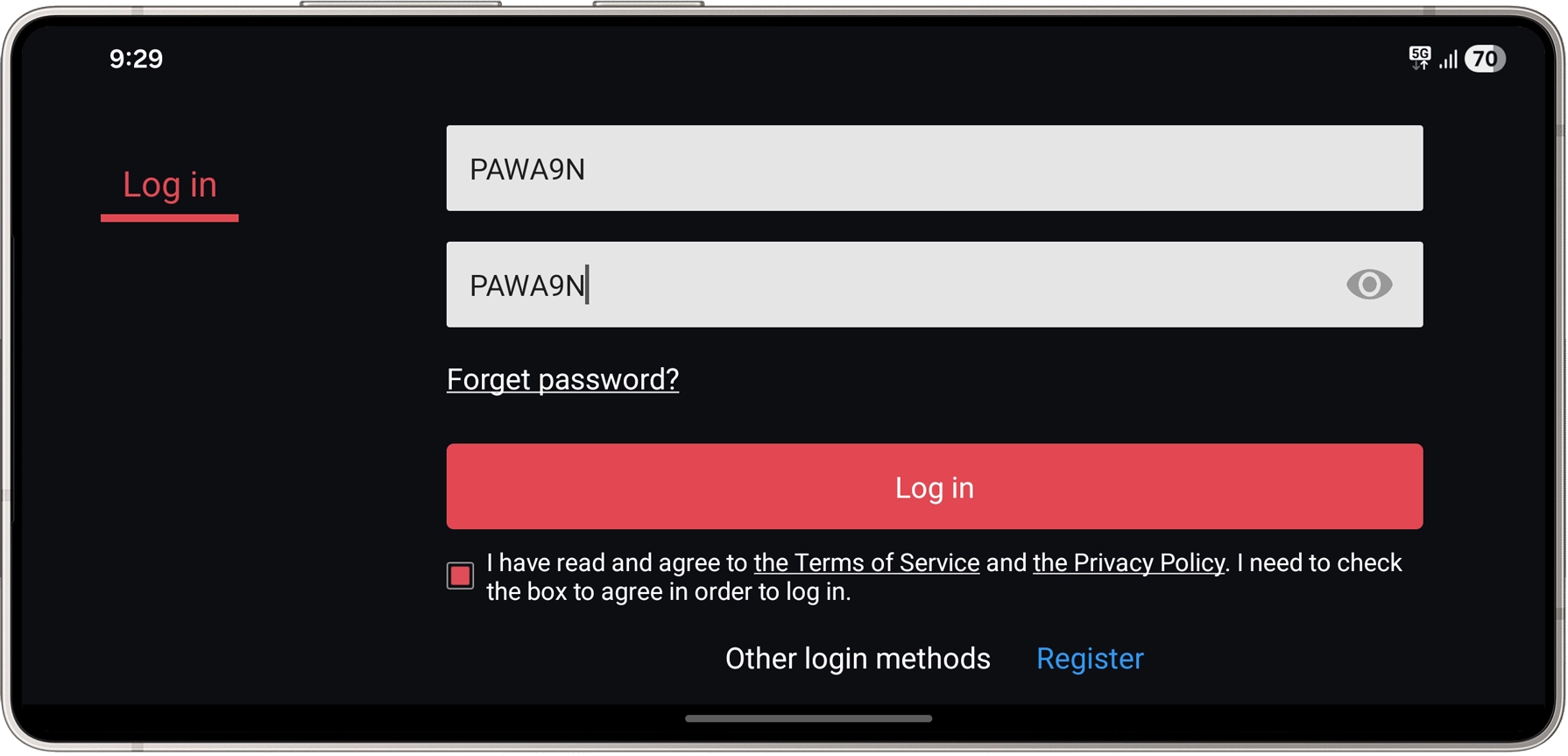
Step 4: Accept Terms and Login
- Check the Terms of Service & Privacy Policy box
- Tap the Login button
You should now be able to access Egg NS Emulator without seeing the “Code failed to send” error.
Frequently Asked Questions (FAQ)
Why can’t Egg NS send verification codes?
Because their registration servers are no longer active after the last update.
Will this method stop working in the future?
Possibly. Since Egg NS development appears inactive, login services may also stop at any time.
Can I create my own account?
No. Registration is currently broken, so only login works.
Does this fix work on all Android devices?
Yes, it works on most Android phones and tablets as long as the app version is compatible.
Final Words
The “Code failed to send” error in Egg NS Emulator is not caused by your phone or internet — it’s due to their inactive registration system. Luckily, the login feature still works, allowing you to access the emulator without signing up.
Until Egg NS releases an update or restores their servers, this workaround is the easiest way to continue playing Nintendo Switch games on Android.
If this guide helped you, feel free to share it with others facing the same problem.

when i try to login using the password and username given, it said wrong password 😔
Unfortunately, this method is no longer working. We’re working on a new solution, stay tuned!
Or you could try leaving your job to wait for the code sent to your Gmail to create an account; you only need to create a username, password, and enter your Gmail address, no need for the code sent to your Gmail.
Lmaoo 😂